

Stop guessing.
Start quoting.
Quote cleaning, painting and flooring jobs from your iPhone or iPad. Build a complete, priced quote during the walkthrough, then email a branded PDF before you leave the driveway.
Works fully offline. No account, no sign-up.
One app for cleaning, painting and flooring
If you paint or lay floors as well as clean, quote those jobs in the same app. Measure each room, choose the work, and send a branded PDF before you leave.
Pick your trades
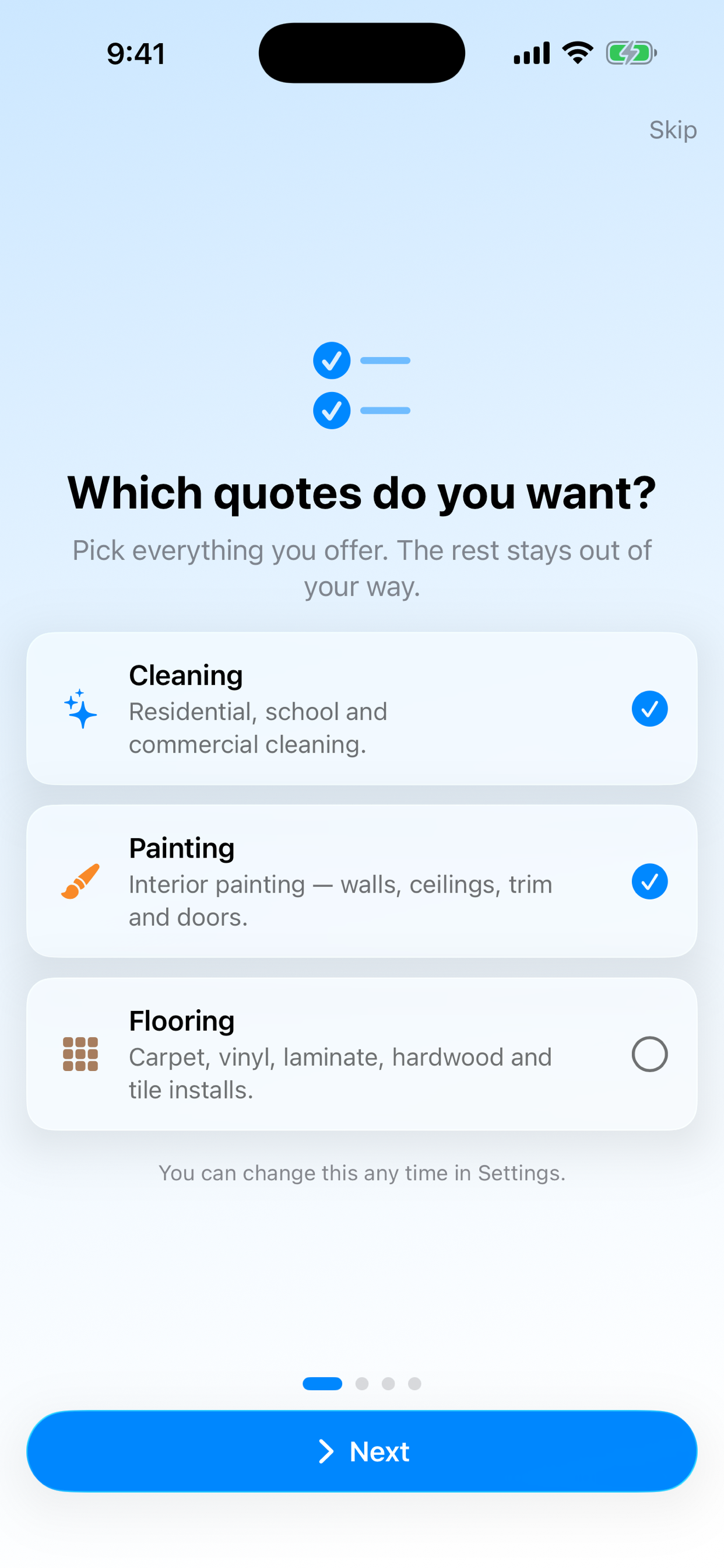
The first time you open CleanQuotes, choose cleaning, painting, flooring, or all three. Only the quotes you offer show up in the app.
Cleaning
Residential, school and commercial cleaning.
Painting
Interior painting: walls, ceilings, trim and doors.
Flooring
Carpet, vinyl, laminate, hardwood and tile installs.
Change your choice any time in Settings.
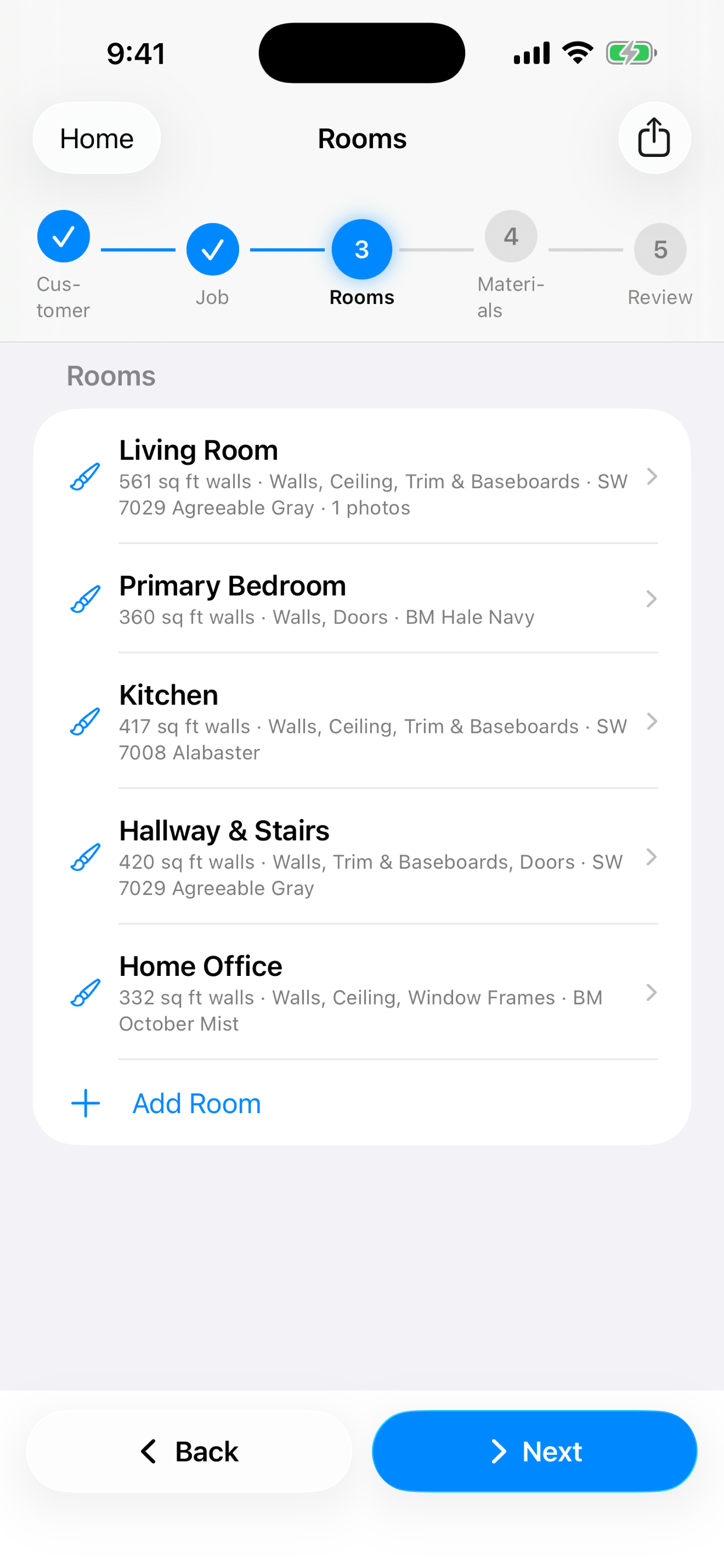
Paint quotes, room by room
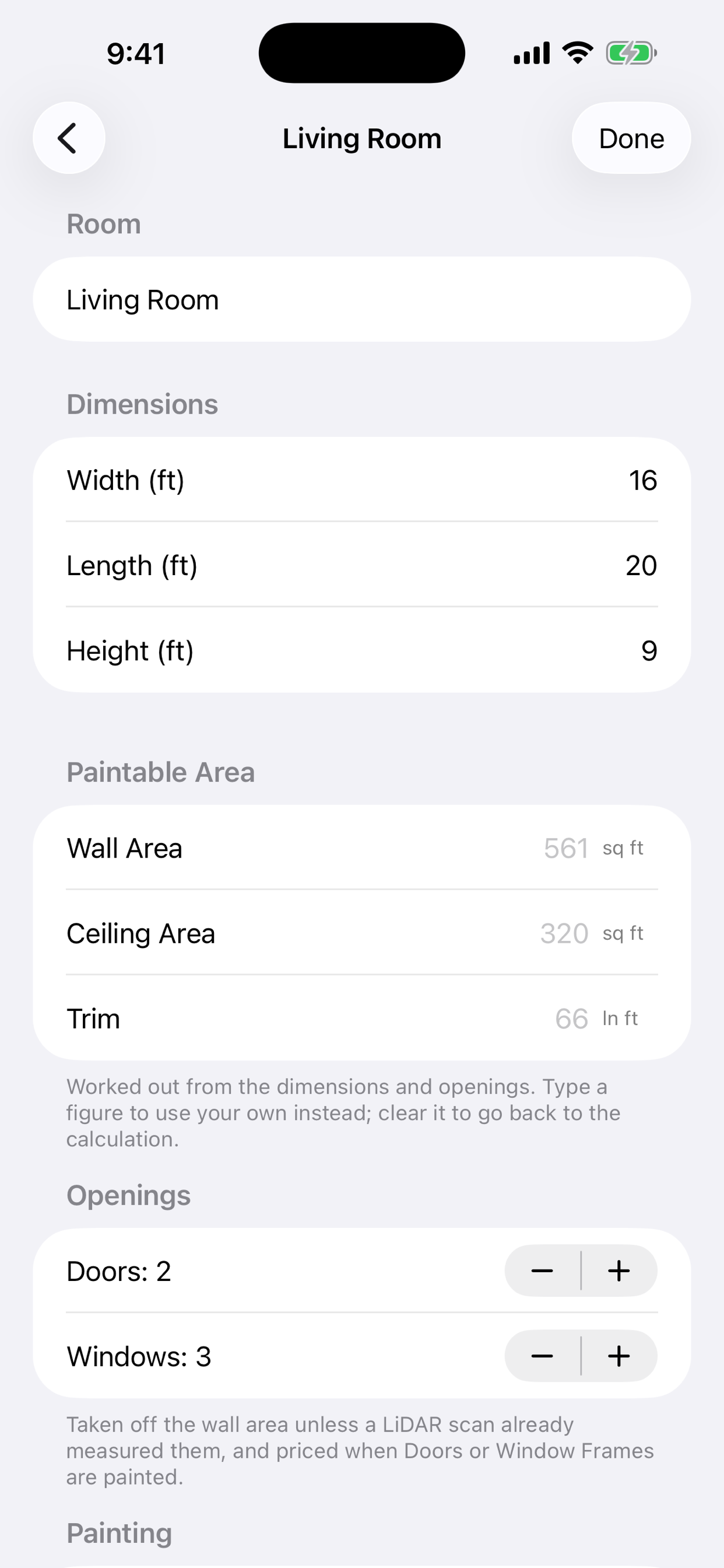
For interior painting. Enter a room's width, length and height, or scan it, and CleanQuotes works out the wall area, ceiling area and trim. Doors and windows come off the wall area automatically.
- Choose the surfaces: walls, ceiling, trim and baseboards, doors, window frames
- Set coats, prep level and a primer coat
- Record the finish and color for every room
- Type your own figure over any calculated area
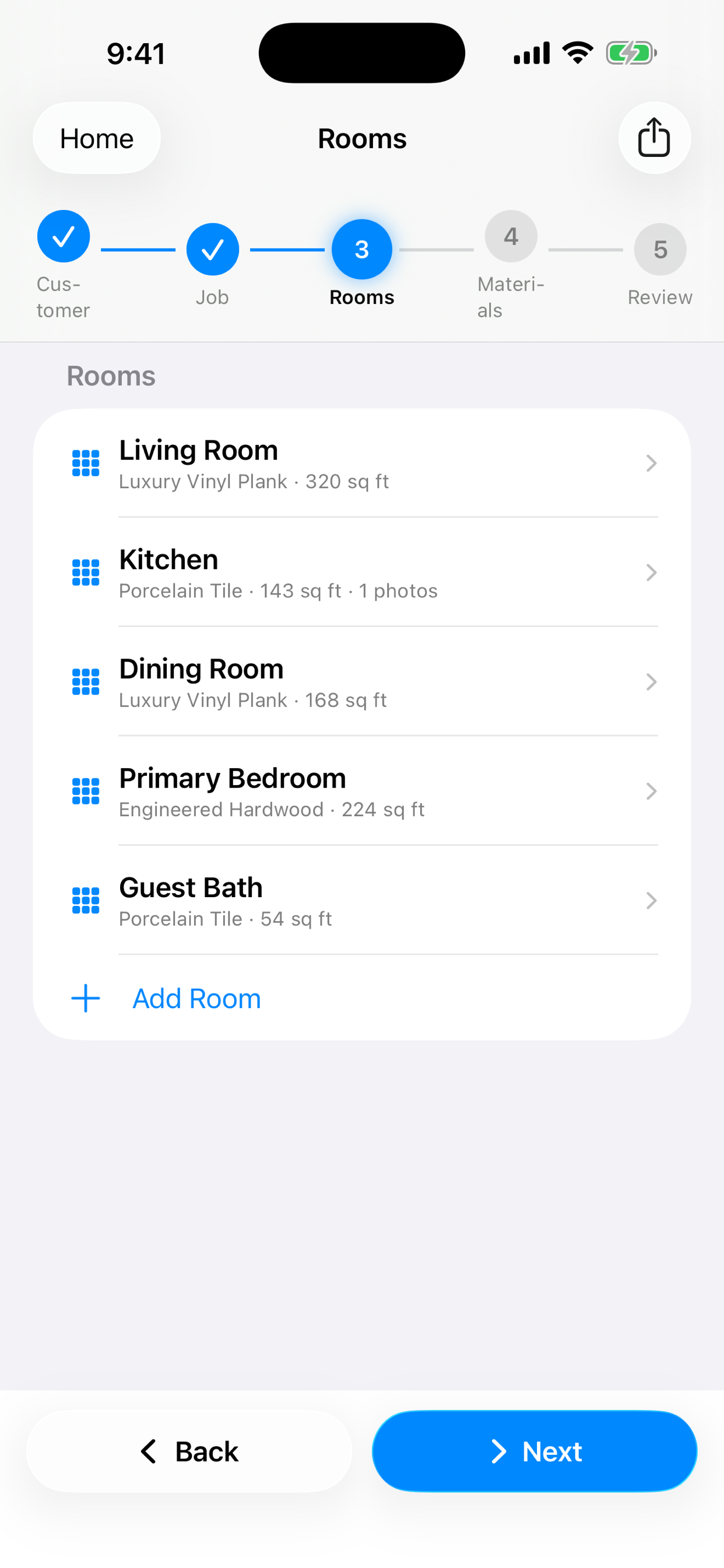
Flooring, fully measured
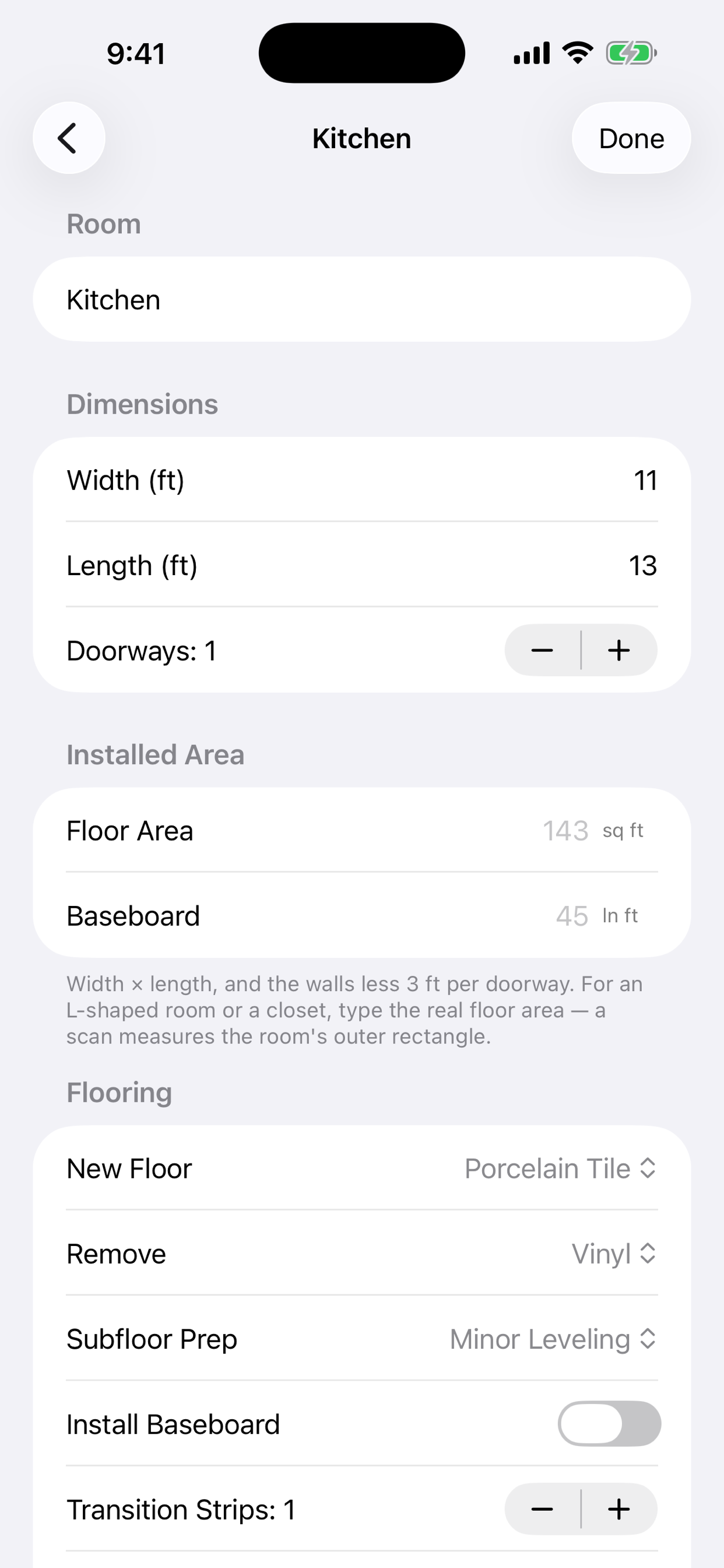
For carpet, vinyl, laminate, hardwood and tile installs. CleanQuotes works out the floor area and baseboard length from the room's size and doorways. For an L-shaped room or a closet, type in the real area.
- Pick the new floor and what's being removed
- Add subfloor prep, new baseboard, transition strips and stair treads
- See each room's subtotal as you go
- Note the product and add photos for each room
Pricing a job on the spot is hard
Not because the work is complicated — because a tape measure, a notepad, and a spreadsheet leave you guessing until the job's already sold.
Priced by gut feel
You walk the house, do some math in your head, and name a number. Sometimes it's right. Sometimes you find out later it wasn't.
Square footage misses the scope
Total floor area says nothing about the oven and the blinds, the trim and the doors, or the subfloor under the old vinyl. The extras are where jobs go over.
Written up hours later
The quote gets typed at the kitchen table that night, from memory. By then the details are fuzzy and the customer is already waiting.
Everyone quotes differently
You quote one way, your helper quotes another, and the same job gets two prices. There's no shared rate to fall back on.
A quote, built in four guided steps
Customer, property, rooms, review — with a progress bar keeping you on track. Every answer saves as you type, and it all works with no signal.
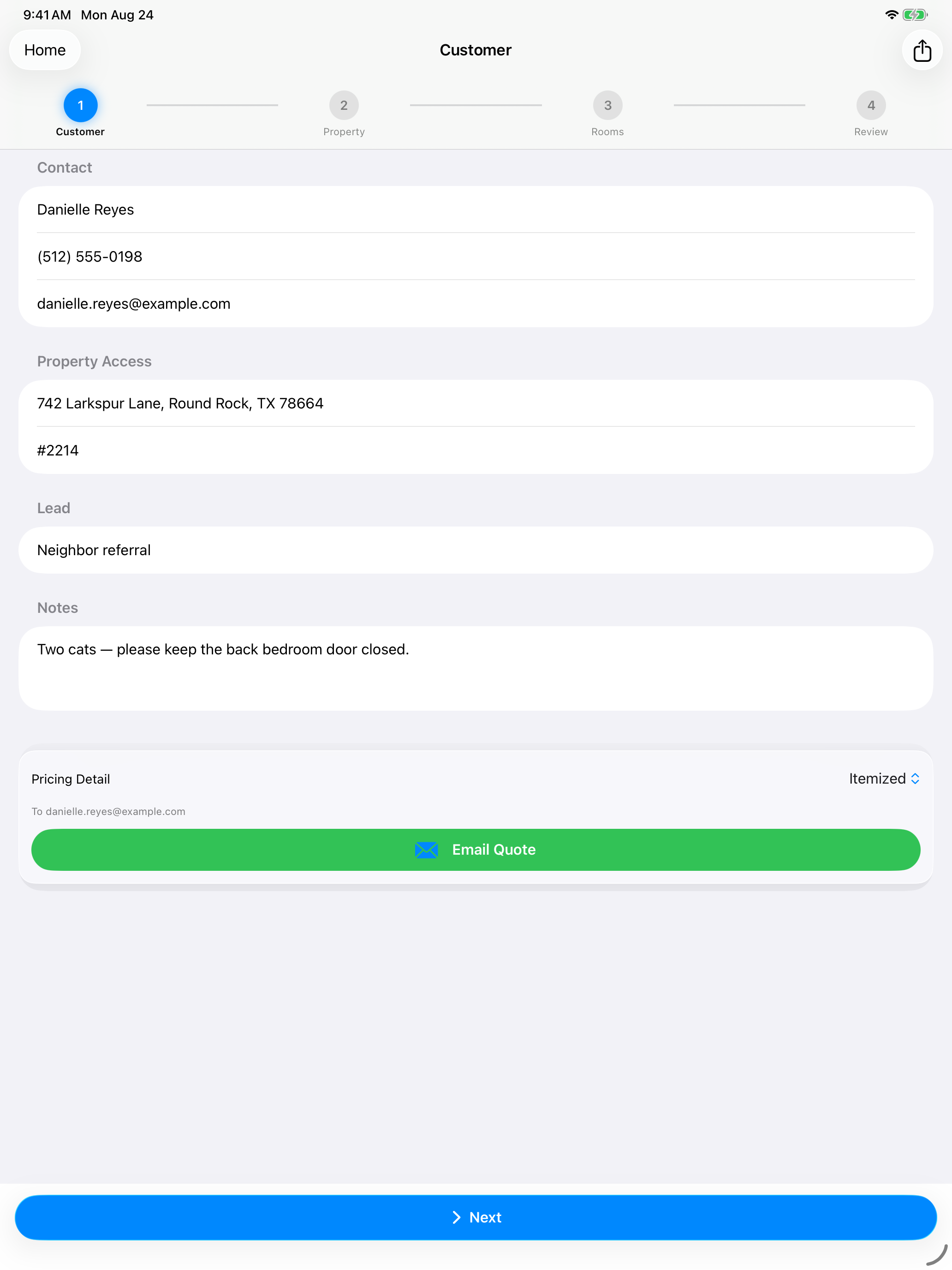
Walk the property
Start a residential quote and capture the customer, the address and gate code, and the property basics — bedrooms, bathrooms, floors, pets, cleaning type and frequency.
Scan or enter the rooms
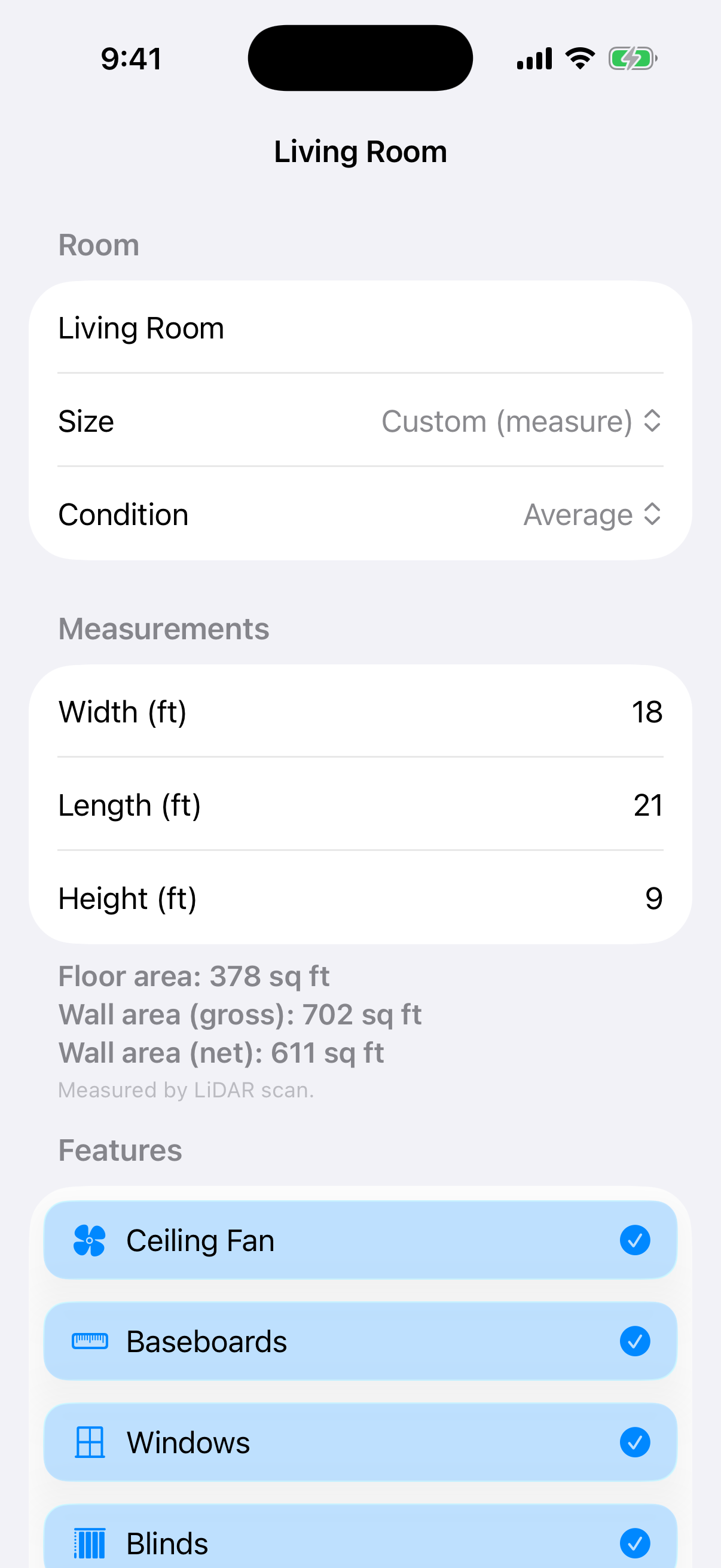
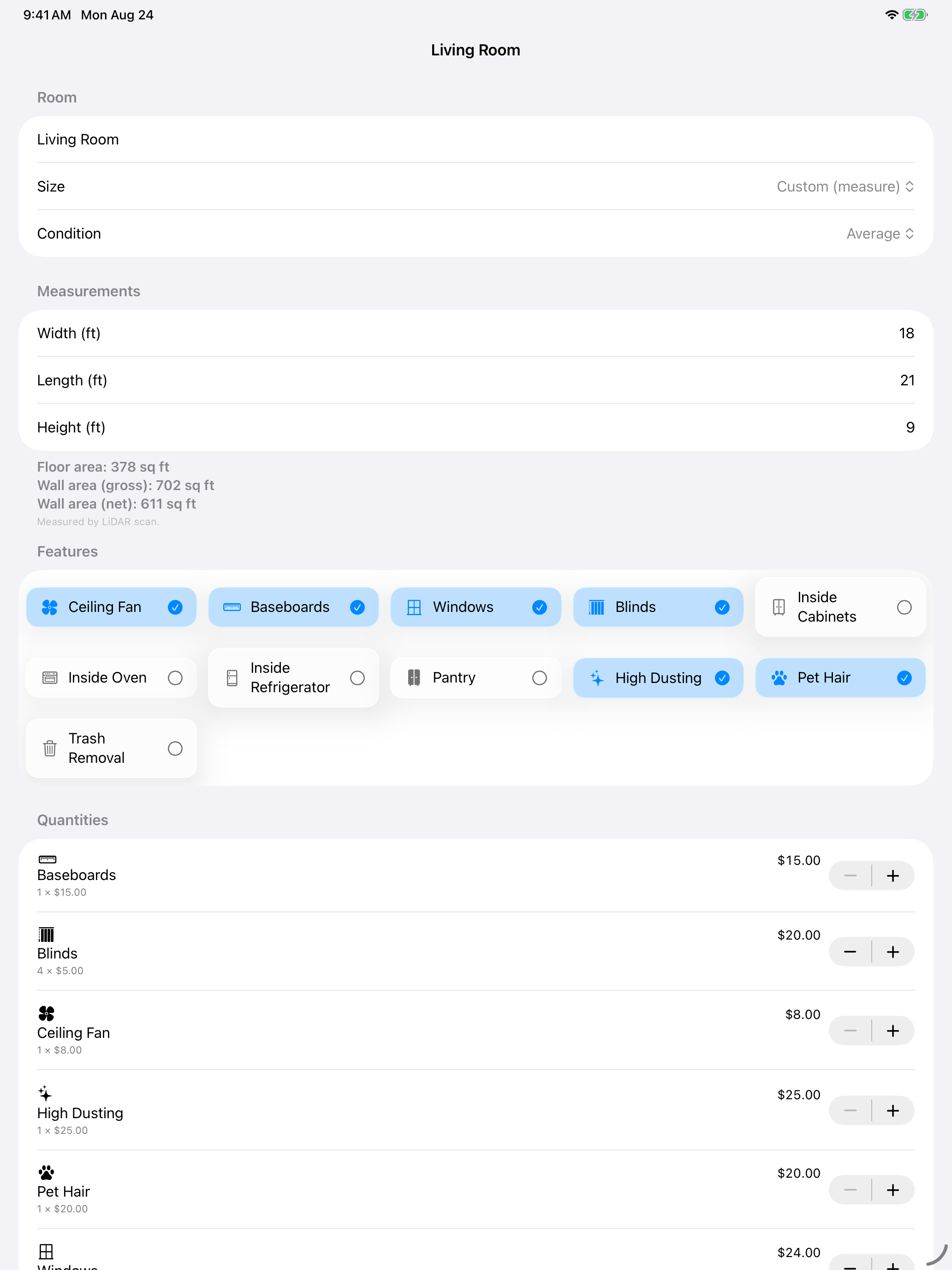
Add a room and scan it with LiDAR for real dimensions and areas, or type the size by hand. Tick the features that apply — baseboards, blinds, inside the oven, pet hair, and more.
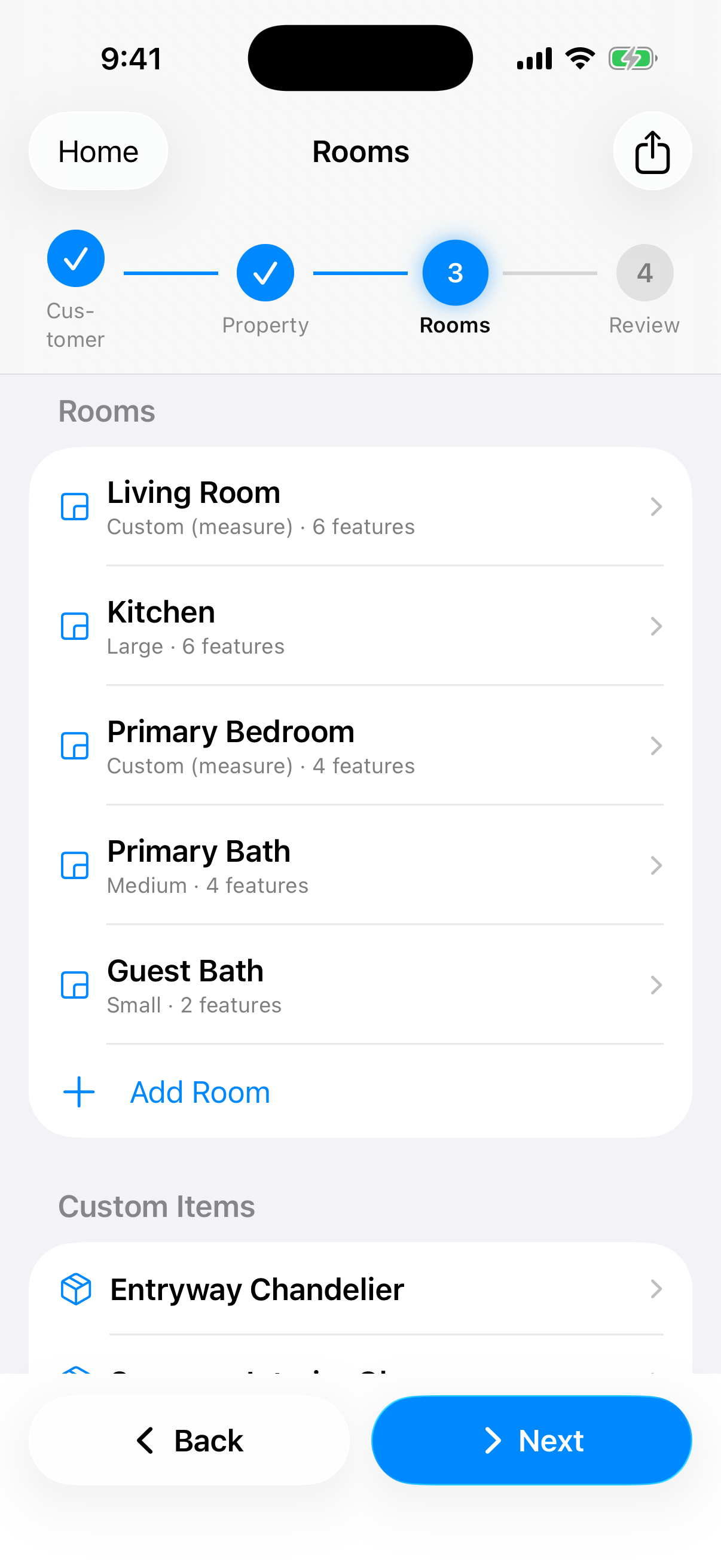
Pick the scope
Set each room's condition and add one-off custom items like a chandelier or sunroom glass. The draft re-prices live from your own rates as you go.
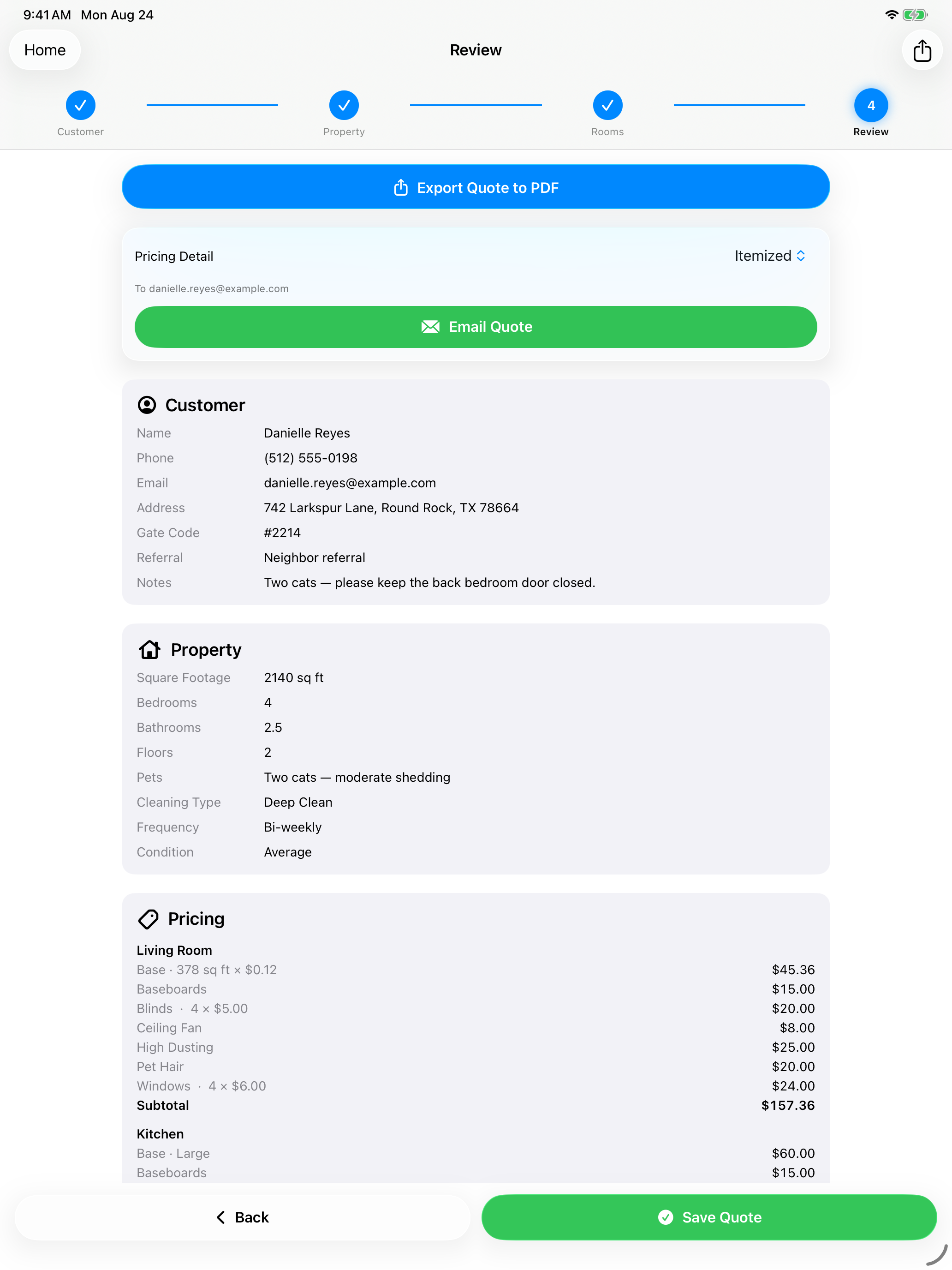
Send the quote
Review the whole quote and the price breakdown, choose how much pricing detail to show, then export a branded PDF or email it to the customer — before you leave.
Put the tape measure down
This is the part that changes the walkthrough. Scan the room and the real numbers are there before you've finished the loop.
Scan a room with LiDAR
Walk the room and CleanQuotes captures width, length and height, floor area, and wall area — with windows, doors and openings subtracted for a net figure. It saves a 3D model of the room too.
Measured rooms are labelled
A scanned room is marked “Measured by LiDAR scan”, so you can always tell a measured number from one you typed in.
No LiDAR? Enter it by hand
Camera measurement is available as a fallback, and manual entry is always there. You can quote any room on any supported device.
LiDAR scanning needs a LiDAR-equipped iPhone or iPad. On other devices you can still quote every room with camera measurement or manual entry.
Your rates, not ours
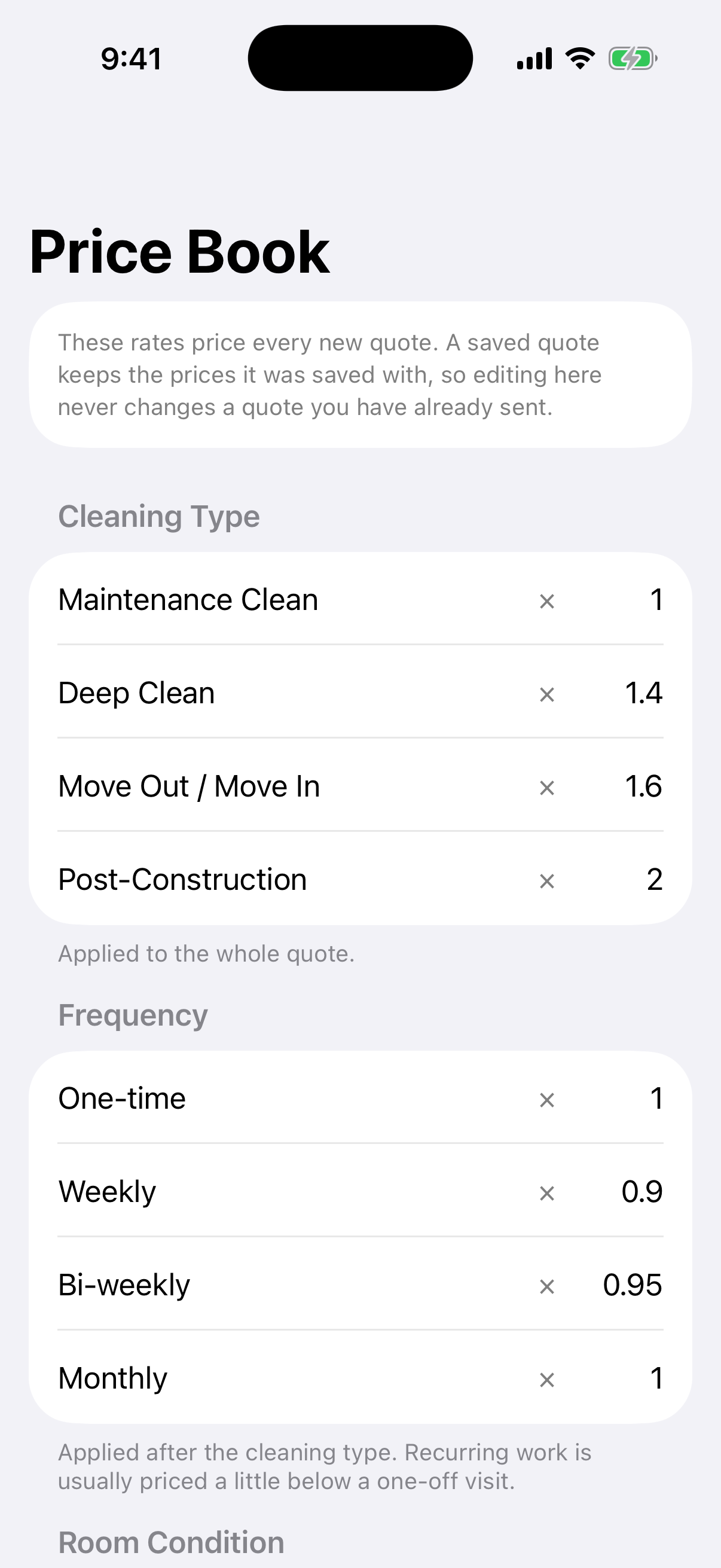
Every rate lives in one editable tab. CleanQuotes prices per room with per-feature add-ons — not one blunt square-footage multiplication — so a quote reflects the actual work. It ships with working defaults, and reset-to-defaults is one tap.
- Room rates
- A base rate per square foot for measured rooms, plus flat Small / Medium / Large rates for rooms you didn't scan.
- 11 per-feature prices
- Ceiling Fan, Baseboards, Windows, Blinds, Inside Cabinets, Inside Oven, Inside Refrigerator, Pantry, High Dusting, Pet Hair, Trash Removal — each with a quantity.
- Cleaning type multipliers
- Maintenance, Deep Clean, Move Out / Move In, Post-Construction.
- Frequency multipliers
- One-time, Weekly, Bi-weekly, Monthly.
- Room condition multipliers
- Light, Average, Heavy — applied per room, before the quote-level multipliers.
You raise your rates. The quote you sent last week doesn't change.
A draft re-prices live as you edit it. The moment you save, the prices freeze. Reopening a saved quote to read it changes nothing — only actually editing its contents returns it to a draft and re-prices. Every quote a customer is holding keeps the number you gave them.
A branded PDF, on your letterhead
Your logo, name, tagline and contact details across the top, then the customer, the property, every room with its measurements and scope, custom items, and the price breakdown. Export it or email it straight from the app.
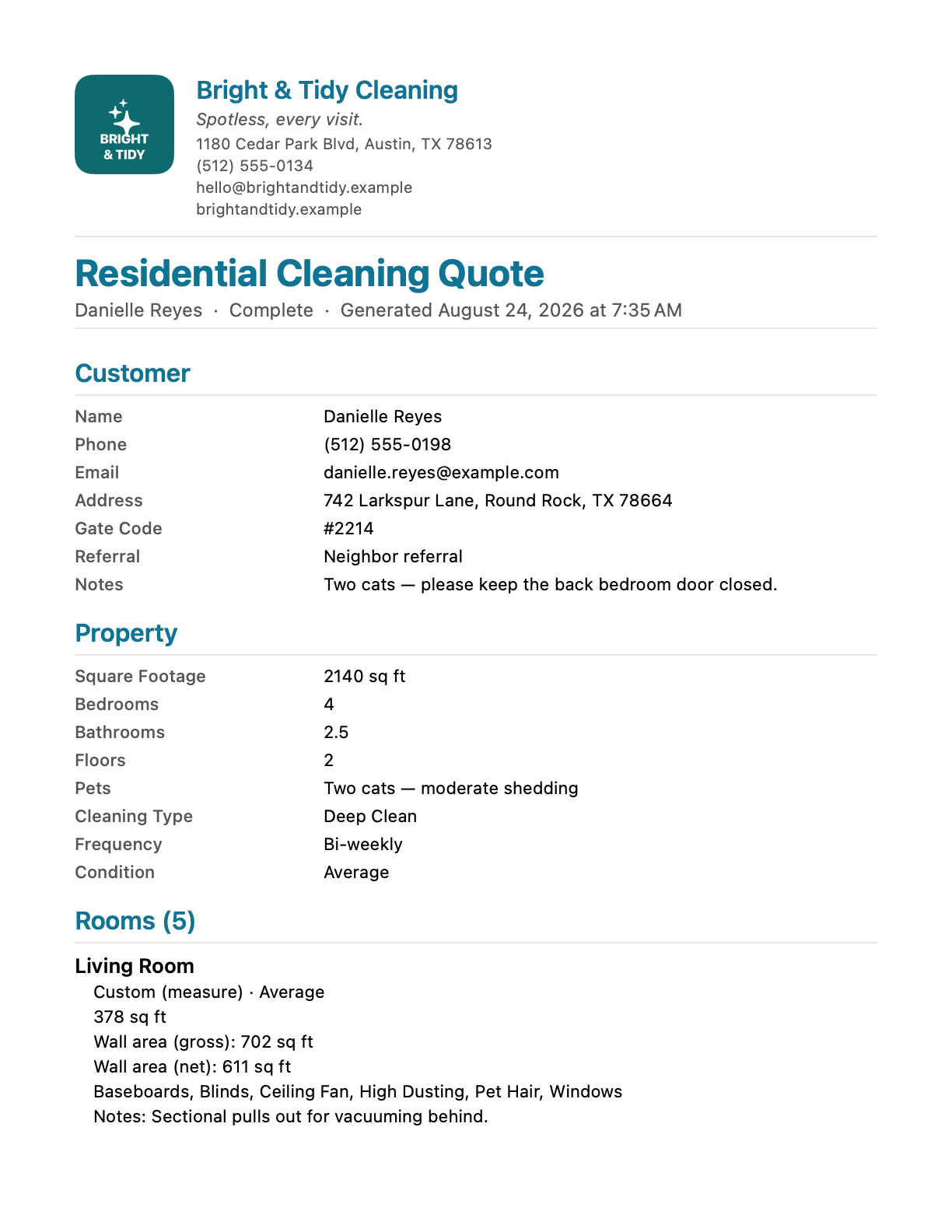
Your copy shows every rate. Their copy shows a total.
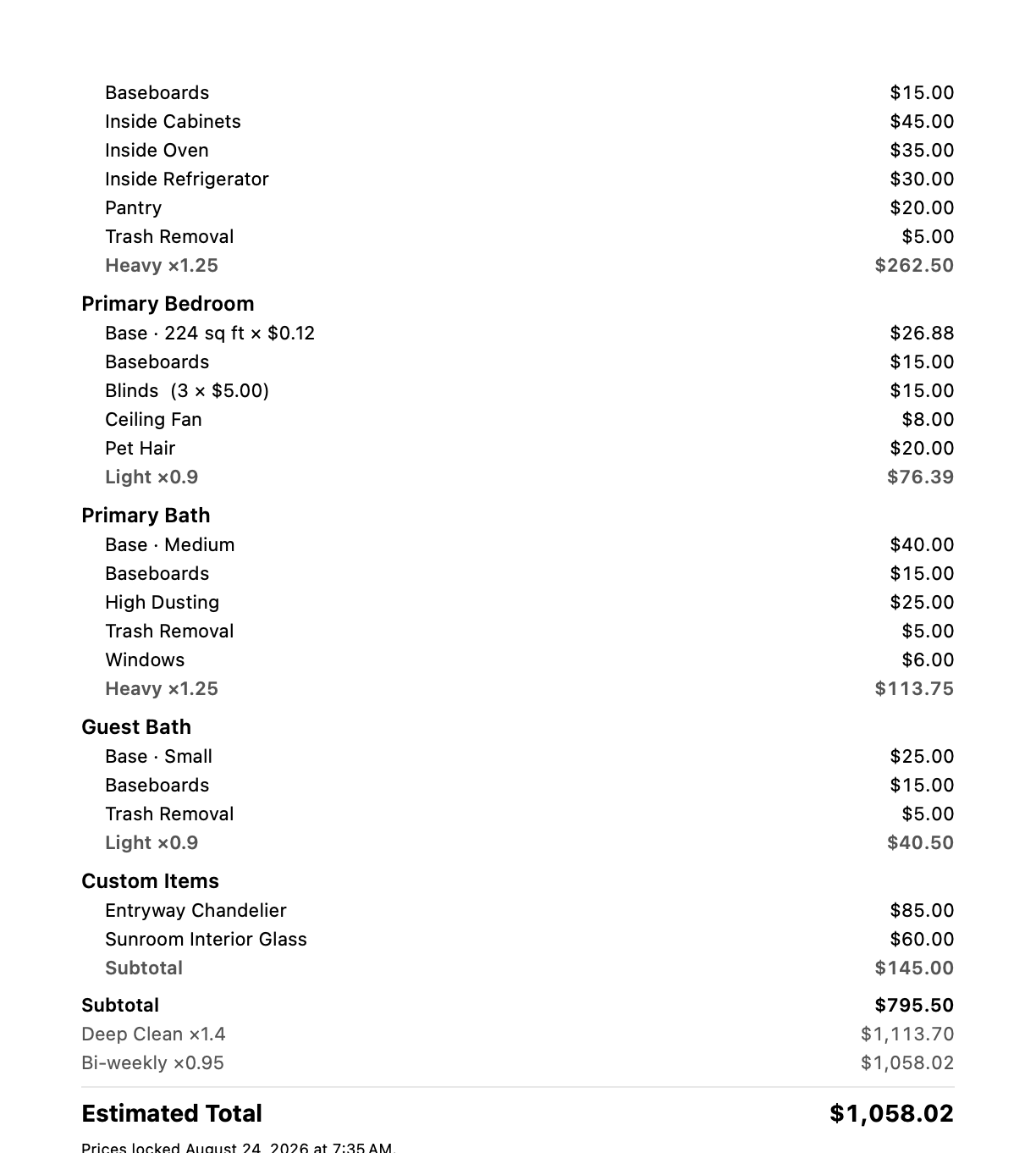
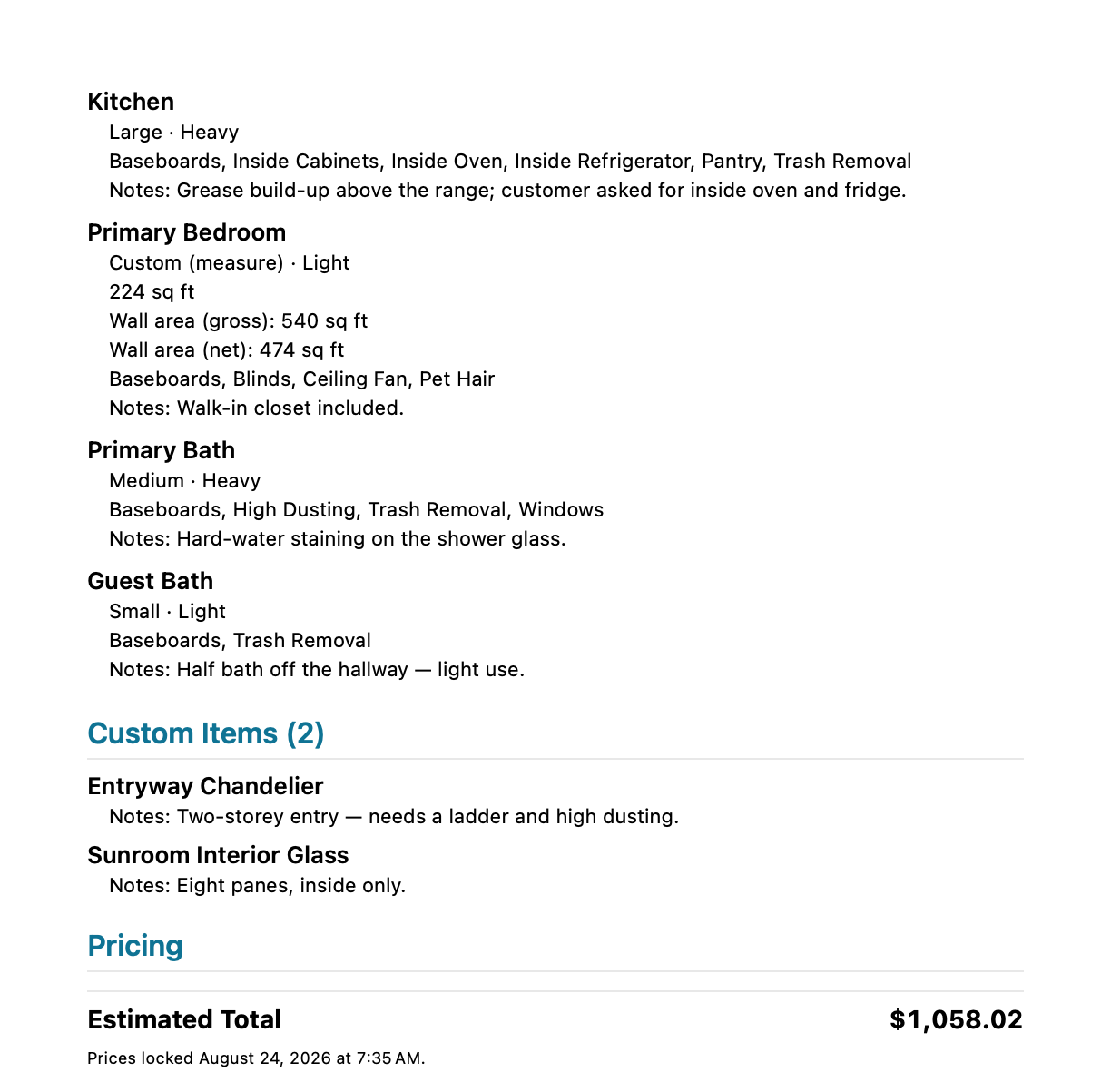
Choose one of three levels of detail for each send. Same quote, same $1,058.02 total — you decide how much of the math the customer sees.
Itemized — your copy
Grand Total Only — their copy
Itemized
Every rate, per-room subtotals, and the multipliers.
Room Totals Only
One line per room, no individual rates shown.
Grand Total Only
Just the estimated total, nothing else.
One app. Three ways to pay.
Every plan is the full app — pick the length that matches how you work.
1 week
$2.99/ week
1 month
$9.99/ month
1 year
$69.99/ year
Save 42%
Free for your first 3 days
- Unlimited quotes
- All three quote types
- Your own rates
- Cancel anytime
The 3-day free trial comes before any charge. Billing is handled through the App Store — there's no separate checkout here.
It prices the work and sends the quote. That's the whole job.
You don't need another CRM. CleanQuotes doesn't schedule your jobs or chase your invoices — it does a few things exactly and doesn't pretend to do more. The narrow scope is the point: nothing to configure, nothing to babysit.
- Scheduling or dispatch
- Invoicing or payments
- A CRM or customer database
- Routing or payroll
- Team accounts or cloud sync
- An Android or web version
Frequently asked questions
LiDAR room scanning needs a LiDAR-equipped iPhone or iPad. On devices without LiDAR you can still quote every room using camera measurement or manual entry — you just won't get the automatic 3D scan.
Yes. The whole quoting workflow — scanning, pricing, PDF export — happens on the device, so you can build a quote in a basement with no signal. Emailing the quote uses the mail account already on your device when you're back online.
On your iPhone or iPad. There's no account, no sign-up, and no cloud. Customer addresses, gate codes and quotes stay on the device. The flip side is honest: your quotes live on that device, so they aren't backed up to a server.
Yes. The Price Book holds every rate — a base rate per square foot, flat rates by room size, per-unit prices for 11 features, and multipliers for cleaning type, frequency and room condition. It ships with working defaults you can edit, and reset-to-defaults is one tap.
Yes. When you export or email, you choose one of three levels of detail: Itemized, Room Totals Only, or Grand Total Only. Your copy can show every rate while the customer's copy shows only the total — same quote, same total.
Yes. When you first open the app you pick the trades you offer: cleaning, painting, flooring, or any mix. Only those quote types show up, and you can change the choice any time in Settings. Painting quotes calculate wall, ceiling and trim areas from each room's size, take off doors and windows, and let you pick surfaces, coats, prep and primer, with a color for every room. Flooring quotes calculate floor area and baseboard, and cover the new floor, removal, subfloor prep, baseboard, transition strips and stair treads. Each room shows its subtotal, and the quote exports as a branded PDF just like a cleaning quote.
For cleaning, automatic pricing is residential-only. School and commercial quotes capture the full walkthrough — rooms, tasks, photos, scans and notes — and export a PDF, but they don't produce a dollar total.
Nothing. Prices lock when you save a quote. If you raise your rates next month, every quote you already handed a customer keeps the number you gave them. Only actually editing a saved quote's contents returns it to a draft and re-prices it.
Quote the next job at the property
Download CleanQuotes for iPhone and iPad and quote cleaning, painting and flooring jobs on-site. Hand the customer a professional quote before you leave.
- Free for 3 days
- Cleaning, painting & flooring
- Works offline on-site
Questions? Talk to a human.
Support questions, bug reports, feature ideas — send them here and they land in our inbox. We read every message.